🆔 The Power of Proof: A Deep Dive into Access Control Credentials and Your Security Partner
Everything you need to know about Access Control Credentials from Northeast Remote Surveillance and Alarm, LLC. In the world of physical security, an Access Control Credential is the electronic key that unlocks doors and grants or denies access to restricted areas. It is the essential element that verifies who you are and what permissions you have been assigned, transforming a simple lock into a powerful security and auditing too.
Choosing the right Access Control Credentials for your business is crucial. It directly impacts your security level, user convenience, and long-term operating costs. This guide breaks down the most common credential types, their technology, and how experts at Northeast Remote Surveillance and Alarm, LLC can integrate them seamlessly into your security infrastructure.
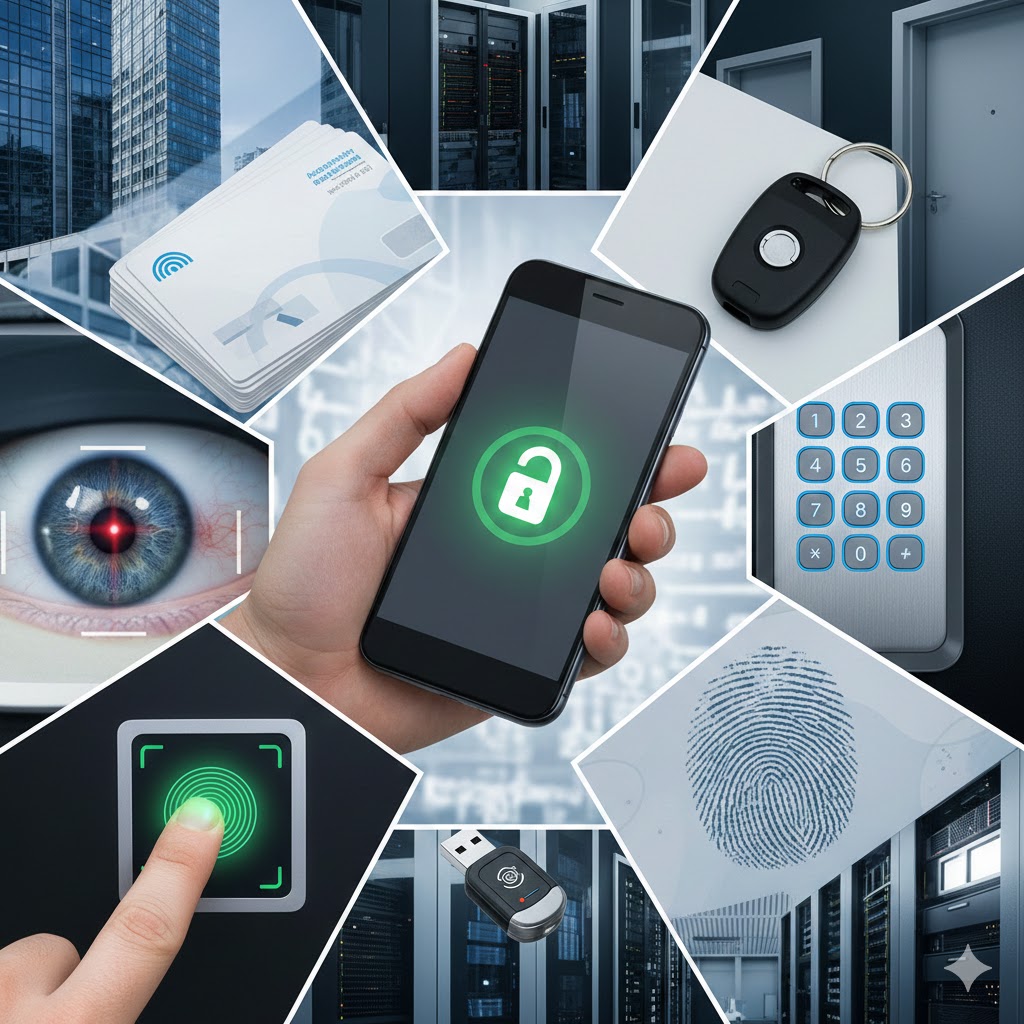
Access Control Credentials – The Three Factors of Authentication
All security credentials fall under one or more of these three categories, often summarized as “something you know, something you have, or something you are.” Modern systems frequently combine these factors for Multi-Factor Authentication (MFA) for maximum security.
- Something You Have (Physical & Digital): This includes objects carried by the user, such as:
- Key Cards & Fobs
- Smartphones (for mobile access)
- Physical Security Tokens
- Something You Know (Knowledge Based): This relies on memorized information, most commonly:6
- PIN Codes
- Passwords
- Something You Are (Biometric): This utilizes unique, verifiable physical characteristics:
- Fingerprints or Hand Geometry
- Facial Recognition
- Retina/Iris Scans
Access Control Credentials – Key Access Control Credential Types Explained
1. Proximity Cards & Key Fobs (Something You Have)
These are the most common commercial access credentials. They use Radio-Frequency Identification (RFID) technology to communicate with the reader when held in close proximity (hence “prox”).
- Technology: Low-frequency (125 kHz) or High-Security Smart Cards (13.56 MHz) like HID Seos which use encryption for superior security.
- Pros: Highly durable, simple to use, widely compatible with existing systems, and easy to issue.
- Cons: Older, unencrypted versions are vulnerable to cloning and duplication. They can be lost or shared with unauthorized users.
- Best For: General employee access, high-volume entry points, and budget-conscious environments.
2. Mobile Credentials (Something You Have)
The newest and fastest-growing credential type, mobile access turns a user’s smartphone into their access card using built-in wireless communication. Northeast Remote Surveillance and Alarm, LLC excels at implementing these advanced, cloud-managed solutions.
- Technology: Utilizes Bluetooth Low Energy (BLE) or Near-Field Communication (NFC) to communicate with the door reader via a secure app.
- Pros: High Convenience (users always have their phone), Enhanced Security (passcode-protected devices add a layer of MFA), and Remote Management (credentials can be issued and revoked instantly from the cloud).
- Cons: Dependency on the smartphone’s battery life and reliable network/Bluetooth connectivity. Requires an initial setup process on the user’s end.
- Best For: Tech-forward companies, remote staff, multi-site organizations, and environments where credential sharing must be strictly prevented.
3. Biometrics (Something You Are)
Biometric readers verify identity based on unique physical traits, meaning the person is the credential. Northeast Remote Surveillance and Alarm, LLC provides cutting-edge biometric installations for high-security applications.
- Technology: Fingerprint scanning, facial recognition, and retina scans.
- Pros: Highest Security (impossible to lose, steal, or share), Increased Accountability, and eliminates the cost of replacing physical credentials.
- Cons: Higher initial hardware cost, potential for inaccurate reads (due to environmental factors or dirty hands), and complexity in managing enrollment and privacy regulations.
- Best For: High-security areas (server rooms, R&D labs), hospitals, financial institutions, and time-and-attendance tracking.
4. PIN Codes & Keypads (Something You Know)
Keypads require a user to enter a Personal Identification Number (PIN) to gain access.
- Technology: Simple electronic keypad communicating with the door controller.
- Pros: Low cost, no physical credentials to manage, and ideal for temporary or visitor access.
- Cons: High Risk of being forgotten or shared with unauthorized parties. No audit trail for individual users unless unique PINs are assigned to each person.
- Best For: Low-security areas, gates, parking garages, or when used as a secondary factor (PIN + Card for MFA).
Choosing the Right Credential for Your Business
When selecting credentials, your security integrator, such as Northeast Remote Surveillance and Alarm, LLC, will help you evaluate three main factors:
- Security Requirements: Is your primary concern preventing unauthorized access to high-value assets (choose Biometrics or Encrypted Smart Cards)
- User Experience & Convenience: Do you want ease-of-use and minimal management hassle (choose Mobile Credentials)
- Budget & Scalability: Do you need an affordable, time-tested solution that works with legacy hardware (choose Proximity Cards/Fobs)
By understanding the distinct advantages and trade-offs of each credential type, and partnering with an experienced installer like Northeast Remote Surveillance and Alarm, LLC, you can build an Access Control system that meets your specific security needs without sacrificing convenience or efficiency.
Ready to secure your business with the right Access Control Credentials? Contact Northeast Remote Surveillance and Alarm, LLC for a custom consultation today!