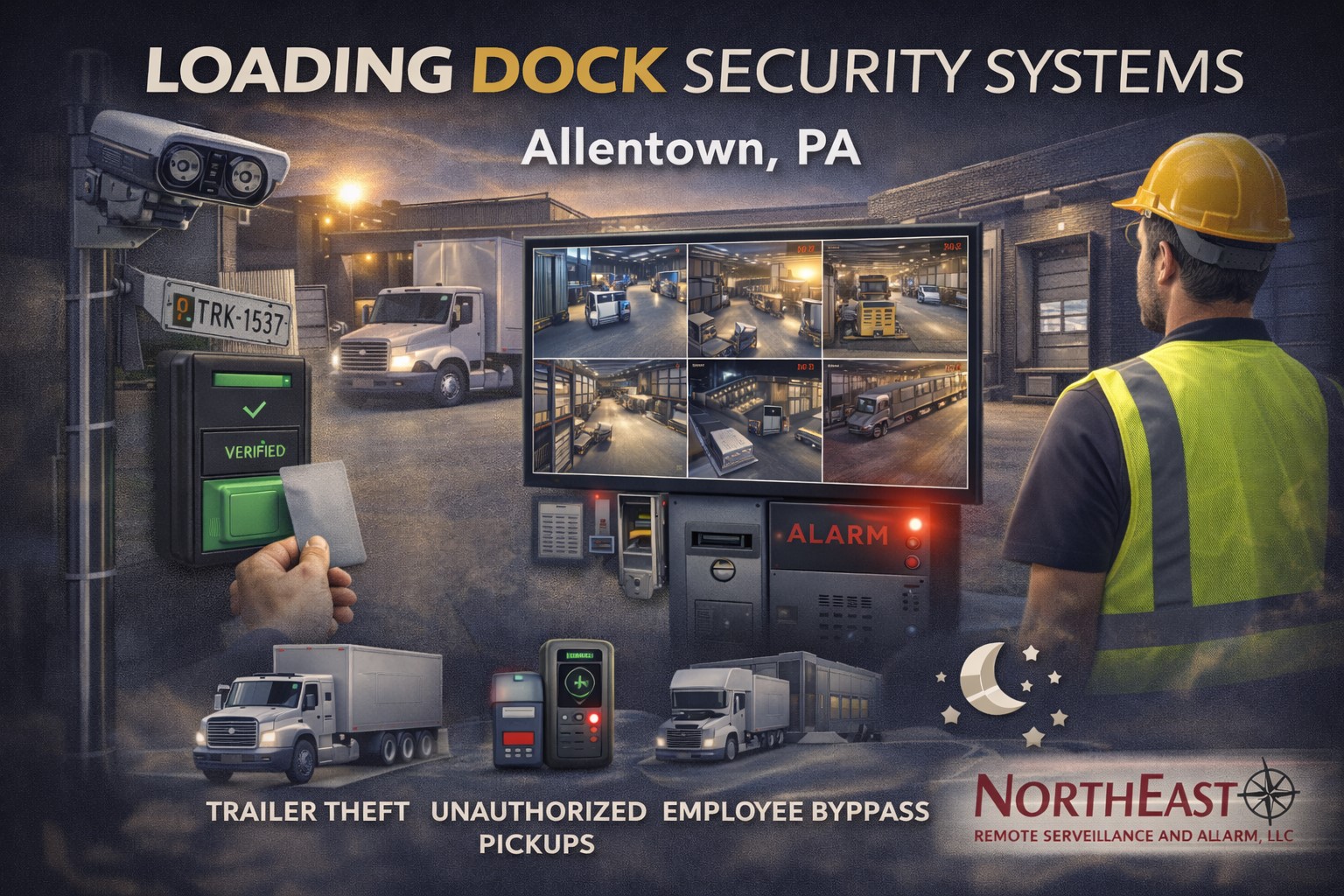
Loading docks are among the most active and exposed areas of an Allentown warehouse, distribution center, manufacturing facility, or commercial property.
Employees, delivery drivers, vendors, contractors, freight, forklifts, trailers, and vehicles may move through the same area throughout the day. When dock doors, shipping offices, receiving areas, and nearby personnel entrances are not properly controlled, the facility may face greater exposure to unauthorized entry, unverified pickups, inventory loss, trailer activity, after-hours access, and operational disruption.
This guide explains how access control can help Allentown facilities manage loading-dock entrances, driver access, employee permissions, shipping offices, restricted warehouse areas, and after-hours activity.
For broader warehouse planning involving access control, video surveillance, intrusion detection, loading areas, truck yards, gates, and monitoring, visit Warehouse Security Systems in Pennsylvania and the Mid-Atlantic.
For controlled-door design, credentials, commercial locking hardware, permissions, upgrades, and system support, visit Commercial and Industrial Access Control Systems.
Why Loading-Dock Access Requires Specialized Planning
A loading dock is not a standard office entrance.
Dock-area security may need to account for:
- Employees entering and leaving
- Delivery drivers checking in
- Vendors and contractors
- Shipping and receiving personnel
- Temporary labor
- Forklift traffic
- Open overhead doors
- Dock-adjacent personnel doors
- Freight staging
- Trailer movement
- Exterior yards
- After-hours deliveries
- Restricted inventory
- Shipping records and offices
The objective is not to block normal warehouse activity. It is to create clear boundaries between authorized employee movement, driver access, visitor activity, restricted warehouse areas, and after-hours entry.
Identify the Loading-Dock Openings That Need Control
A dock-security assessment should identify every opening connected with shipping and receiving operations.
Potential control points include:
- Shipping-office entrances
- Receiving-office doors
- Driver check-in doors
- Dock-adjacent personnel entrances
- Office-to-warehouse transitions
- Warehouse-to-dock doors
- Inventory-room entrances
- Tool and maintenance rooms
- Exterior service doors
- Employee entrances near the dock
- Trailer-yard gates
- Vehicle entrances
- Detached storage buildings
Not every opening requires a reader.
Priority should usually be given to doors that:
- Allow direct access into the warehouse
- Separate drivers from employee areas
- Protect shipping records or inventory
- Are used after normal business hours
- Are routinely propped open
- Serve several employee shifts
- Are difficult to manage with mechanical keys
- Require useful activity records
Separate Driver Access From Warehouse Access
Delivery drivers and outside carriers may need to reach a shipping office, check-in point, restroom, waiting area, or designated entrance without receiving unrestricted access to the warehouse.
A properly planned driver-entry arrangement may include:
- A clearly marked check-in entrance
- Video or audio intercom communication
- Remote door release
- Camera coverage
- A controlled interior door
- Visitor instructions
- Restricted movement beyond the shipping office
- After-hours calling procedures
- Temporary credentials where appropriate
A driver admitted through an exterior door should not automatically gain access to inventory, employee work areas, offices, maintenance spaces, or other restricted portions of the facility.
Control Dock-Area Employee Entrances
Employee entrances located near loading docks may be exposed to delivery traffic, trailers, contractors, and after-hours activity.
A controlled employee entrance may include:
- Individually assigned credentials
- Shift-based permissions
- Commercial card or mobile readers
- Compatible electrified locking hardware
- Door-position monitoring
- Request-to-exit operation
- Forced-door alerts
- Door-held-open alerts
- Nearby video surveillance
- After-hours notifications
- Backup power
- Documented emergency operation
The opening should also be reviewed for:
- Exterior lighting
- Visibility
- Trailer obstruction
- Weather exposure
- Door alignment
- Latch operation
- Closer performance
- Pedestrian safety
- Required egress
A credential reader cannot correct a door that does not close and latch.
Replace Shared Keys With Managed Credentials
Mechanical keys and shared keypad codes are difficult to manage in active loading environments.
Keys may be:
- Lost
- Copied
- Shared
- Retained by former employees
- Given to drivers or contractors
- Used outside approved schedules
- Distributed without a complete record
Electronic credentials may include:
- Access cards
- Key fobs
- Mobile credentials
- Individually assigned PINs
- Temporary credentials
Credentials can generally be limited according to:
- Employee
- Job role
- Department
- Work shift
- Door
- Building
- Contractor assignment
- Delivery period
- Approved schedule
- Expiration date
A shipping employee may need access to the employee entrance, shipping office, and selected warehouse doors without receiving entry into accounting, information-technology rooms, secured inventory, or management offices.
Manage Vendors, Contractors, and Temporary Labor
Loading docks frequently involve outside users who require limited access.
These may include:
- Truck drivers
- Freight carriers
- Equipment-service contractors
- Cleaning personnel
- Maintenance companies
- Temporary warehouse employees
- Vendors
- Construction contractors
Temporary permissions may be restricted by:
- Door
- Building
- Work area
- Schedule
- Project
- Shift
- Expiration date
- Approved service period
Temporary credentials should expire or be removed when the assignment ends.
Shared employee cards, permanent keys, or widely known PINs should not become the default method for providing temporary access.
Use Access Schedules Around Shipping Operations
Dock operations may begin before the office opens and continue after administrative employees leave.
Access schedules may be configured around:
- First-, second-, and third-shift operations
- Scheduled carrier pickups
- Early-morning deliveries
- Weekend operations
- Maintenance periods
- Cleaning schedules
- Temporary projects
- Seasonal volume
- Approved after-hours deliveries
- Manager access
A valid credential does not need to work at every hour.
Schedules should reflect real operating conditions. Restrictions that are too broad weaken control, while restrictions that are too narrow may delay legitimate freight activity and encourage workarounds.
Protect Shipping and Receiving Offices
Shipping and receiving offices may contain:
- Delivery records
- Bills of lading
- Computers
- Carrier information
- Inventory documents
- Keys
- Radios
- Access credentials
- Driver paperwork
- Sensitive operational information
Access control can limit these areas to authorized employees and managers.
A controlled shipping office may include:
- Individual credentials
- Door schedules
- Door-position monitoring
- Camera coverage
- Forced-door alerts
- After-hours notifications
- Visitor communication
- Controlled release into the warehouse
The system should support shipping operations without allowing drivers or visitors to move freely into employee-only areas.
Protect Inventory and Staging Areas
Dock-adjacent inventory and staging areas may be especially exposed because freight moves rapidly through them.
Potential restricted spaces include:
- High-value inventory
- Secured cages
- Returns areas
- Tool rooms
- Parts storage
- Damaged-goods areas
- Quality-control spaces
- Temporary holding areas
- Records storage
- Equipment rooms
Permissions should be assigned according to actual responsibility.
Not every dock employee, driver, vendor, or contractor requires access to every inventory or storage area.
Identify Forced and Propped Dock Doors
A controlled personnel door provides little protection when it is routinely propped open during loading operations.
Door-position monitoring may help identify:
- A door opened without a valid credential event
- A door held open beyond an approved period
- A door that failed to close
- Repeated denied-access attempts
- Unexpected after-hours activity
Repeated dock-door alerts may indicate:
- Employees propping the door
- Delivery procedures
- A failed closer
- Lock or latch misalignment
- A damaged door contact
- Incorrect alert timing
- Poorly planned workflow
- Programming that does not match operations
The facility should determine:
- Which doors require alerts
- How long each door may remain open
- Who receives notifications
- Whether nearby video should be reviewed
- What response is expected
- Whether repeated conditions require hardware repair or procedural changes
Associate Door Events With Video Surveillance
Access-control records can show which credential was presented, which door was involved, and when the event occurred.
Video surveillance may provide additional context.
Compatible systems may allow authorized users to review footage associated with:
- Granted access
- Denied credentials
- Forced-door events
- Doors held open
- After-hours entry
- Driver check-in
- Shipping-office access
- Inventory-room entry
- Vehicle-gate activity
Video may help determine whether:
- The assigned credential holder entered
- Another person followed through the opening
- A driver or contractor caused the event
- Materials were moved
- The door failed mechanically
- Someone deliberately propped the door
- A vehicle or trailer was connected with the activity
Camera placement should be selected around the event the facility needs to review.
A wide dock overview may document general movement without clearly showing the person using a controlled entrance.
For commercial camera planning, evidence quality, recording, retention, remote access, and event verification, visit Commercial and Industrial Video Surveillance Systems.
License-Plate and Vehicle Documentation
Some loading facilities may benefit from vehicle or license-plate documentation at:
- Truck entrances
- Trailer yards
- Delivery lanes
- Guard or check-in points
- Employee parking entrances
- Contractor gates
- Carrier staging areas
License-plate recognition may help document vehicles when:
- The camera position is appropriate
- Vehicle speed is controlled
- Lighting is suitable
- Plate distance and angle are considered
- The required image detail is defined
- Retention and access policies are established
A general surveillance camera does not automatically provide reliable plate capture.
Vehicle documentation should be planned around the entrance, traffic pattern, lighting, lane layout, camera angle, and expected operational use.
Coordinate Dock Access With Intrusion Alarms
Access control manages authorized entry. Intrusion alarms detect selected security conditions while the building or area is armed.
Useful coordination may include:
- Credential-based disarming
- Separate warehouse and office partitions
- After-hours entry reporting
- Door-status information
- Opening and closing procedures
- Video associated with alarm and access events
- Coordinated removal of access and alarm permissions
Employees should understand what happens when they:
- Enter through a dock-area door
- Access an armed warehouse section
- Disarm a shipping office
- Work after normal hours
- Leave the property
- Encounter an alarm condition
Integration should simplify operations rather than create unnecessary false alarms or confusing dependencies.
For commercial intrusion detection, alarm partitions, monitoring, communication paths, upgrades, and verification, visit Commercial and Enterprise Intrusion Alarm Systems.
Coordinate Dock Access With Vehicle Gates
Truck yards, employee parking entrances, delivery lanes, and fenced loading areas may require controlled vehicle access.
Gate entry may use:
- Cards or key fobs
- Mobile credentials
- Individual PINs
- Long-range vehicle credentials
- Driver intercoms
- Remote release
- Approved license-plate-based tools
Gate planning should also address:
- Operator type
- Safety devices
- Vehicle detection
- Tractor-trailer turning
- Queuing
- Pedestrian exposure
- Emergency access
- Power
- Communications
- Weather
- Camera coverage
- Maintenance
A gate designed for passenger vehicles may not work properly for tractor trailers, delivery traffic, vendors, and multi-shift warehouse operations.
Plan the Complete Controlled Dock Opening
Loading-dock access control involves more than mounting a card reader.
A complete personnel-door opening may include:
- Credential
- Reader or keypad
- Controller
- Electric strike
- Electrified lock
- Electrified exit device
- Door-position contact
- Request-to-exit device
- Door closer
- Power transfer
- Power supply
- Backup battery
- Field wiring
- Network communication
- Management software
- User permissions
- Door schedule
- Emergency-release operation
- Fire-alarm interface where required
A valid credential may be accepted while the door remains locked because of:
- Failed electrified hardware
- Insufficient voltage
- Damaged wiring
- An overloaded power supply
- A failed power-transfer device
- Door or frame misalignment
- Mechanical pressure on the latch
- Incorrect programming
The door may also release correctly but fail to close and latch afterward.
The credential, reader, controller, lock, exit hardware, door contact, closer, power, wiring, network, software, and physical opening should be evaluated as one operating system.
Preserve Emergency Egress and Dock Operations
Controlled dock doors must preserve required emergency exit, panic-hardware operation, fire-door operation, accessible use, emergency release, and applicable fire-alarm functions.
Planning may need to consider:
- Fail-safe or fail-secure operation
- Existing panic hardware
- Fire-rated doors
- Request-to-exit operation
- Power failure
- Backup power
- Emergency unlocking
- Accessible entry
- Fire-alarm interfaces
- Inspection requirements
- Authority review
The system should improve security without interfering with freight movement, employee workflow, deliveries, emergency exit, or life-safety functions.
Plan After-Hours Dock Monitoring
Loading docks may remain exposed after warehouse employees leave.
After-hours planning may include:
- Intrusion detection
- Door contacts
- Motion detection
- Perimeter detection
- Camera analytics
- Remote video monitoring
- Alarm verification
- Controlled employee entry
- Forced-door alerts
- Gate activity
- Lighting
- Notification procedures
Monitoring should be built around a defined response process.
The organization should determine:
- Which events are monitored
- Who is contacted
- When video is reviewed
- When dispatch may be requested
- How authorized after-hours access is distinguished
- How repeated nuisance events are corrected
- Who maintains contact lists
Common Loading-Dock Risks
Potential dock-area risks include:
- Unauthorized pickup attempts
- Trailer theft
- Inventory removal
- Employee bypass activity
- Drivers entering employee areas
- Contractor over-access
- Propped personnel doors
- After-hours entry
- Tailgating
- Uncontrolled shipping-office access
- Vehicle entry without verification
- Inadequate event documentation
No single device eliminates these risks.
A stronger plan may combine:
- Access control
- Video surveillance
- Intrusion detection
- Vehicle documentation
- Intercom communication
- Gate control
- Lighting
- Monitoring
- Employee procedures
- Shipping and receiving policies
Access Control and Video Do Not Replace Procedures
Technology can support dock security, but it does not replace:
- Driver check-in procedures
- Carrier verification
- Pickup authorization
- Seal-control procedures
- Inventory controls
- Shipping documentation
- Employee training
- Contractor management
- Visitor policies
- Incident reporting
- Supervisor review
The strongest system supports clearly defined warehouse and shipping procedures.
Questions to Ask Before Approving Dock Access Control
Ask:
- Which loading-dock doors require electronic control?
- Where should drivers check in?
- Which areas may drivers and vendors enter?
- Which employees need access to each opening?
- How should permissions differ by shift?
- How will temporary workers and contractors be handled?
- Are any doors routinely propped open?
- Does each controlled door close and latch properly?
- Which door events should produce alerts?
- Who receives those alerts?
- Can events be reviewed with video?
- Is license-plate documentation needed?
- How will after-hours deliveries be handled?
- What happens during a power failure?
- What happens during a network or internet interruption?
- How will emergency egress be preserved?
- Will the system coordinate with intrusion alarms?
- Does the site need truck-gate access?
- Who owns the primary accounts?
- What training and documentation are included?
- Who provides ongoing service?
A useful proposal should explain how employees, drivers, credentials, doors, offices, video, alarms, gates, and procedures work together—not merely provide reader and camera quantities.
NERSA Loading-Dock Security Resources
Warehouse security planning
Use Warehouse Security Systems in Pennsylvania and the Mid-Atlantic for broader planning involving access control, loading docks, cameras, intrusion alarms, truck yards, gates, monitoring, inventory, and warehouse operations.
Commercial access control
Use Commercial and Industrial Access Control Systems for controlled doors, credentials, commercial locking hardware, permissions, schedules, upgrades, takeovers, and system support.
Commercial video surveillance
Use Commercial and Industrial Video Surveillance Systems for loading-dock cameras, vehicle documentation, evidence quality, recording, retention, remote access, and event verification.
Commercial intrusion alarms
Use Commercial and Enterprise Intrusion Alarm Systems for after-hours intrusion detection, partitions, professional monitoring, communication paths, verification, upgrades, and takeovers.
Unified security integration
Use Commercial and Enterprise Unified Security Systems for coordinated access control, video surveillance, intrusion alarms, intercoms, gates, monitoring, and event review.
Frequently Asked Questions About Loading-Dock Access Control
What is loading-dock access control?
Loading-dock access control manages entry through selected dock-area personnel doors, shipping offices, warehouse transitions, restricted rooms, and vehicle entrances using credentials, permissions, schedules, door hardware, and management software.
Which loading-dock doors should be controlled?
Common priorities include employee entrances, driver check-in doors, shipping and receiving offices, dock-adjacent personnel doors, warehouse transitions, inventory rooms, and restricted support areas.
Can drivers receive limited access?
Yes. Drivers may be limited to check-in areas, waiting spaces, shipping offices, or selected entrances without receiving unrestricted warehouse access.
Can temporary workers receive shift-limited credentials?
Yes. Supported systems can limit credentials by door, building, work area, shift, schedule, project, and expiration date.
Can access control identify a propped dock door?
A properly configured system with door-position monitoring may report when a controlled opening remains open longer than permitted.
Can dock-door events be reviewed with cameras?
Compatible platforms may associate selected door events with nearby video, providing additional visual context.
Can license-plate recognition be used at loading docks?
Possibly. Reliable plate documentation depends on lane design, camera position, angle, distance, vehicle speed, lighting, and the selected equipment.
Can access control coordinate with warehouse alarms?
Yes. Compatible systems may coordinate credentials, door status, alarm partitions, after-hours entry, video, and selected alarm events.
Can loading-dock access control manage vehicle gates?
Compatible platforms may manage users and credentials for both building doors and gates. Gate safety, vehicle detection, traffic flow, and mechanical operation still require separate planning.
Does access control replace driver verification procedures?
No. Access control supports security procedures but does not replace carrier verification, pickup authorization, shipping documentation, employee training, or supervisor review.
Can an existing dock-access system be upgraded?
Possibly. Controllers, readers, credentials, locks, wiring, power supplies, software, licensing, accounts, and manufacturer support should be evaluated first.
Must dock doors preserve emergency egress?
Yes. Controlled doors must preserve required exit, panic hardware, fire-door operation, accessible use, emergency release, and applicable fire-alarm functions.
Does NERSA install residential access control?
No. NERSA focuses on commercial, industrial, warehouse, manufacturing, logistics, institutional, municipal, healthcare, educational, contractor, multi-tenant, and other non-residential properties.